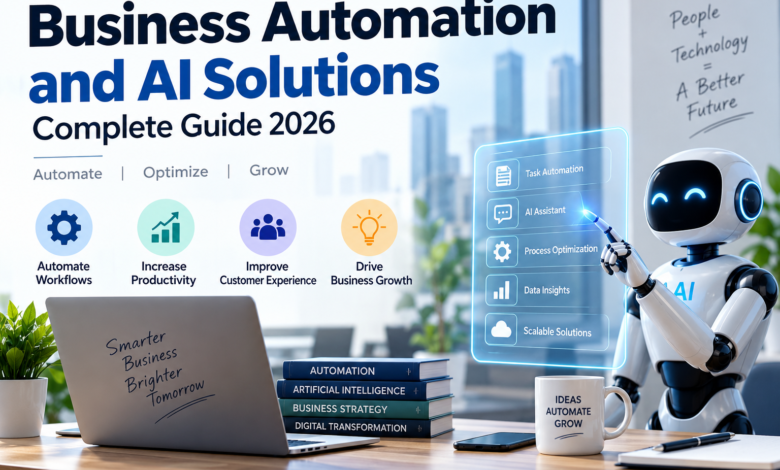
The most important decision is not whether a company should “use AI.” It is which business problem should AI solve, what data and integrations are required, what risks need to be controlled, and how the result will be measured.
This guide focuses on practical business use cases, current pricing examples, adoption data, implementation risks, security and governance, and a step-by-step framework for choosing an AI solution.
What Are AI Business Solutions?
AI business solutions apply AI to a defined business problem. They can help employees perform tasks faster, automate repetitive workflows, search internal knowledge, analyze data, or support decisions.
| Solution type | What it does | Typical fit |
|---|---|---|
| General AI assistant | Writing, analysis, research, coding, brainstorming | Cross-functional knowledge work |
| Business AI application | AI embedded in a business workflow | Sales, service, productivity, finance |
| Workflow automation | Moves information and triggers repeatable actions | Administrative processes |
| AI agent | Coordinates several steps toward a defined outcome | More complex but bounded workflows |
The distinction matters because using an AI assistant is not the same as deploying an autonomous agent. A business can use AI extensively while still keeping humans responsible for the final decisions and actions.
How AI Business Solutions Help Businesses
Sales and Lead Generation
AI can research prospects, summarize CRM history, qualify leads, draft follow-ups, prepare proposals, and identify next steps. Human review remains appropriate for pricing, commitments, negotiations, and high-value relationships.
Marketing and Content
AI can support customer research, keyword analysis, campaign ideas, content drafts, email personalization, and performance reporting. Human review should still cover factual claims, brand positioning, disclosures, and customer-facing publication.
Customer Service
AI can classify tickets, retrieve approved answers, summarize conversations, draft responses, route requests, and escalate exceptions. Gartner’s survey of 265 service and support leaders found that 77% felt pressure from senior executives to deploy AI and 75% reported higher AI budgets than the previous year. These are survey findings for that population, not all businesses.
Document Processing and Knowledge Management
AI can extract information from invoices, contracts, forms, reports, and emails. It can also summarize long documents and answer questions over approved internal knowledge. These are useful because they reduce repetitive information-processing work.
Finance and Accounting
AI can support invoice routing, transaction categorization, reconciliation assistance, anomaly detection, collections reminders, and report preparation. Payments, tax decisions, financial reporting, and other consequential actions should remain under appropriate controls.
HR and Recruiting
AI can help draft job descriptions, organize applications, summarize interview notes, answer routine policy questions, and support workforce analytics. Candidate selection, compensation, discipline, and other high-impact employment decisions require careful review for legal and fairness risks.
IT and Software Development
AI can explain code, draft code and tests, troubleshoot errors, write documentation, and assist developers with repetitive technical tasks. Generated code still needs testing, review, and security checks before production deployment.
Data Analysis and Forecasting
AI can summarize large datasets, identify patterns, produce natural-language explanations, and assist with forecasts. Forecasts are decision inputs, not guarantees, so businesses should document assumptions and monitor actual outcomes.
Cybersecurity and Risk Management
AI can help prioritize alerts, identify suspicious patterns, summarize incidents, and automate selected security workflows. Automated responses should be limited by permissions, logging, testing, and rollback procedures.
Workflow Automation and AI Agents
AI agents can coordinate several steps across business systems. For example, an agent could research a lead, update a CRM, draft a follow-up, and route the result to a salesperson for approval. Agent permissions should be narrow at first, especially where the system can spend money, change records, contact customers, or affect employees.
For more on this specific use case, see OrbitInf’s AI Agents for Small Businesses in 2026.
What Are the Benefits of AI Business Solutions?
Well-designed AI business solutions can improve operations in several ways. The actual benefit depends on the workflow, the quality of the data, and how well the solution is integrated.
- Save time: reduce repetitive manual work such as drafting, classification, summarization, and data entry.
- Improve response speed: help teams respond to customers, leads, and internal requests faster.
- Increase consistency: apply the same workflow, checklist, or knowledge source across repeated tasks.
- Scale existing work: handle higher volumes without increasing every part of the process at the same rate.
- Support better decisions: surface patterns, summarize information, and prepare analysis for human decision-makers.
- Reduce avoidable errors: automate repetitive steps while keeping appropriate human review for consequential work.
These benefits are potential outcomes, not guarantees. A solution that adds review effort, weakens quality, or creates integration costs may produce little net value even when the underlying AI model performs well.
Types of AI Business Solutions
Enterprise AI Platforms
These are designed for organizations that need centralized administration, identity, security, integrations, analytics, and governance across many users or departments.
General-Purpose AI Assistants
OpenAI’s current ChatGPT Business pricing lists Standard seats at $20 per user per month when billed annually or $25 monthly. A Business workspace requires at least two paid seats. Premium Business seats are also available at higher pricing and usage levels.
SMB-Focused AI Tools
Smaller businesses can choose purpose-built tools for scheduling, sales prospecting, customer support, bookkeeping assistance, marketing, or document processing. Narrow tools can be easier to deploy when the underlying business problem is simple and well defined.
AI Agents and Agentic Platforms
According to Gartner, up to 40% of enterprise applications will feature task-specific AI agents by the end of 2026, up from less than 5% in 2025. Gartner also predicts that one-third of agentic AI implementations will combine agents with different skills by 2027. This is an enterprise application forecast, not a small-business adoption rate.
How Much Do AI Business Solutions Cost?
There is no single AI-business-solution price. A realistic budget includes software, usage, integration, implementation, data preparation, training, governance, and human review.
| Solution | Published price / pricing model | Important context |
|---|---|---|
| Microsoft 365 Copilot Business | $18/user/month paid yearly | Eligible Microsoft 365 subscription required; up to 300 users |
| ChatGPT Business | $20/user/month annually; $25 monthly | Two-seat minimum; premium seats cost more |
| Claude Team | $20/person/month annually; $25 monthly | Teams of 2 to 150 |
| Salesforce Agentforce | $2/conversation model | Also offers Flex Credits at $0.10 per action |
Microsoft currently lists Microsoft 365 Copilot Business at a promotional starting price of $18 per user per month when paid yearly, with an eligible Microsoft 365 subscription required. Microsoft also offers higher-priced plans with Copilot built in.
Anthropic currently lists Claude Team Standard at $20 per person per month when billed annually or $25 monthly. The Team plan is available for teams of 2 to 150.
Salesforce lists two Agentforce pricing models: $2 per conversation and Flex Credits priced at $500 per 100,000 credits, with one action consuming 20 credits, or $0.10 per action.
Prices can change. Always verify the current vendor pricing and plan requirements before purchase.
Why Subscription Price Is Not Total Cost
- Integration work
- Data cleanup and preparation
- Employee training
- Security review
- Workflow redesign
- Monitoring and human review
- API or usage charges
AI Adoption in 2026
AI adoption data can look contradictory when the surveys measure different populations, years, or definitions of AI use.
Stanford’s 2025 AI Index reported that 78% of respondents said their organizations used AI in at least one business function in 2024, up from 55% in 2023. The same report found generative AI use in at least one business function rose from 33% in 2023 to 71% in 2024.
McKinsey’s 2025 global survey reported that 88% of respondents said their organizations used AI in at least one business function in 2025. McKinsey also reported that only 7% said AI had been fully scaled across their organizations.
OECD provides a different economy-wide benchmark: in 2025, 20.2% of firms across OECD countries reported using AI, compared with 52.0% of large firms and 17.4% of small firms.
These figures should not be merged into a single “91% of businesses use AI” statement. They measure different populations and methodologies.
Microsoft’s Q1 2026 AI Diffusion Report put the UAE at 70.1% on its working-age-population AI usage measure. That is a workforce diffusion measure, not a business adoption rate.
Adoption Is Not the Same as Business Value
PwC’s 2026 Global CEO Survey, based on 4,454 CEOs across 95 countries and territories, found that only 12% of CEOs said AI had delivered both cost and revenue benefits. Another 33% reported gains in either cost or revenue, while 56% reported no significant financial benefit to date.
The takeaway is not that AI fails. It is that access and usage are easier to achieve than sustained, measurable value.
What Prevents Businesses From Getting Results?
Data Quality
Gartner reports that 63% of surveyed organizations either did not have or were unsure whether they had the right data-management practices for AI. Gartner predicts that through 2026, organizations will abandon 60% of AI projects unsupported by AI-ready data. This is a forecast, not a measured 2026 failure rate.
Integration
AI creates limited value if employees must copy information manually between systems. Before purchase, map the workflow and identify every system the solution must read from or write to.
Skills and Change Management
Employees need training on both the capabilities and the limitations of AI. Adoption should be measured by workflow improvement, not simply by how many people have accounts.
Hallucinations and Incorrect Output
AI can generate plausible-looking but wrong information. Define which outputs require verification and which actions require human approval.
Vendor Lock-In
Document important workflows, understand data-export capabilities, and keep control of core business data where practical. This reduces the risk of becoming dependent on one vendor’s prompts, connectors, or proprietary workflow structure.
Uncontrolled AI Spending
Subscription sprawl and usage-based API costs can become hidden expenses. Approved-tool lists, centralized billing, usage analytics, and spending controls can reduce duplication.
AI Security, Privacy, and Governance
Businesses should treat AI as part of their information-security and governance environment rather than as a standalone software purchase.
NIST’s AI Risk Management Framework is designed to help organizations manage AI risks and promote trustworthy and responsible AI. Its generative-AI profile addresses risks associated with generative systems.
Before connecting business information to an AI system, review:
- Data use: Is business data used for model training?
- Retention: How long is uploaded information stored?
- Access: Which employees, agents, and administrators can see the data?
- Integration permissions: What systems can the AI read or modify?
- Logging: Can the business audit important AI actions?
- Human review: Which decisions require approval?
- Incident response: What happens after an AI error or unauthorized action?
- Regulatory requirements: What sector-specific rules apply?
Use the minimum permissions necessary and avoid giving agents unrestricted authority over money, sensitive records, customer accounts, or employee decisions.
How to Choose the Right AI Business Solution
Use the following decision path:
Business problem → workflow → data → integration → security → cost → human oversight → ROI.
| Decision factor | Questions |
|---|---|
| Problem | What task or outcome needs improvement? |
| Frequency | How often does the task occur? |
| Data | What information does the solution need? |
| Integration | Which business systems must connect? |
| Risk | What happens if the AI is wrong? |
| Security | Who can access the system and its data? |
| Cost | What will software, usage, implementation and review cost? |
| ROI | Which KPI will prove success? |
Choose the simplest solution that can solve the problem reliably. A narrowly designed automation can be more valuable than a sophisticated agent that introduces unnecessary risk and maintenance.
How to Implement AI Successfully
1. Establish a Baseline
Measure the current time, volume, error rate, cycle time, and cost of the workflow.
2. Start With One Use Case
Choose a high-frequency, relatively stable task with a clear owner and outcome.
3. Prepare the Data
Fix missing, inconsistent, duplicate, or poorly structured data before expecting the AI solution to perform reliably.
4. Configure Permissions and Approval Rules
Separate tasks that can happen automatically from actions that require approval.
5. Pilot the Workflow
Run the solution on a limited population or business process and compare the results with the baseline.
6. Measure Quality and Value
Track time, cost, quality, errors, customer outcomes, and other relevant KPIs.
7. Scale Only After Validation
Expand to other teams or workflows when the first process performs consistently and the governance model works.
How to Measure AI ROI
A useful management formula is:
Net AI benefit = measurable business value − total AI cost
Total AI cost can include subscriptions, usage, integrations, implementation, training, data preparation, governance, and human review.
| Area | Useful KPI examples |
|---|---|
| Customer service | Response time, resolution time, cost per case, escalation rate |
| Sales | Lead-response time, qualified leads, conversion rate, sales-cycle length |
| Marketing | Production time, campaign cycle time, conversion, qualified traffic |
| Finance | Processing time, exception rate, reconciliation effort |
| HR | Administrative hours, screening time, time to fill |
| Software | Cycle time, test coverage, defects, review effort |
| Operations | Throughput, cycle time, manual steps, rework |
Illustrative example: If an AI workflow costs $300 per month and saves 25 hours of work that the business values at $30 per hour, the gross time value is $750 and the simple monthly benefit before other costs is $450. This is only an example. Real ROI depends on whether quality remains acceptable and whether the recovered time creates business value.
Building an AI Strategy That Scales
A practical AI strategy can be organized around five questions:
- What business outcome matters?
- Which solution type fits the workflow?
- Is the data ready?
- What security, governance, and human-review controls are required?
- How will success be measured?
That approach is more reliable than buying tools because competitors are using them.
AI should also be treated as an operating change, not simply another software license. Processes may need redesign, employees may need training, and managers may need new controls around quality, permissions, and accountability.
AI Business Solutions by Company Size
| Business size | Good starting point | Main priority |
|---|---|---|
| Solo / micro | General AI assistant + one simple automation | Low cost and immediate time savings |
| Small business | AI assistant + CRM/service/finance workflow | Integration and measurable results |
| Mid-sized | Department-specific AI + centralized governance | Data quality, security and training |
| Enterprise | Integrated platforms, agents and governed AI infrastructure | Scale, identity, compliance and orchestration |
Frequently Asked Questions
What are AI business solutions?
They are software systems and services that use AI to automate tasks, analyze information, assist employees, improve customer interactions, or support business decisions.
Which AI business solutions are best for small businesses?
Start with the business problem. Common entry points include customer service, lead routing, document processing, scheduling, reporting, marketing support, and general AI assistants.
What business tasks can AI automate?
Depending on the tool, AI can support sales, marketing, customer service, finance administration, HR workflows, document processing, software development, analytics, cybersecurity, and connected multi-step workflows.
How much do AI business solutions cost?
Current examples include Microsoft 365 Copilot Business from $18 per user per month when paid yearly, ChatGPT Business at $20 annually or $25 monthly for Standard seats, Claude Team at $20 per person per month when billed annually or $25 per person per month when billed monthly, and Salesforce Agentforce at $2 per conversation under one pricing model. Total deployment cost can be higher.
Does the $18 Microsoft Copilot price include Microsoft 365?
No. The $18 figure is the published Microsoft 365 Copilot Business add-on price when paid yearly and requires an eligible Microsoft 365 subscription.
Is ChatGPT Team still the name of the business plan?
No. OpenAI renamed ChatGPT Team to ChatGPT Business in August 2025.
How should a business choose an AI solution?
Use this sequence: business problem, workflow, data, integration, security, cost, human oversight, and ROI measurement.
What are the main risks of AI in business?
Important risks include incorrect output, data leakage, excessive permissions, vendor lock-in, integration failures, employee adoption problems, regulatory exposure, and uncontrolled spending.
How can a business measure AI ROI?
Establish a baseline first, then compare time, cost, quality, revenue, errors, customer outcomes, or other business KPIs after implementation. Include implementation and review costs in the calculation.
Does high AI adoption mean businesses are getting high returns?
No. Adoption and value are different measures. PwC’s 2026 CEO survey found only 12% of CEOs reported both cost and revenue benefits from AI, while many organizations were still working to scale their deployments.
Should a small business start with an AI agent?
Not necessarily. A simple assistant or automation may be easier to implement and govern. An agent becomes more attractive when a workflow requires multiple connected steps and the business can define permissions, approval points, and success metrics.
Conclusion
AI business solutions in 2026 cover much more than chatbots. Businesses can use AI across customer service, sales, marketing, document processing, finance, HR, software development, analytics, cybersecurity, knowledge management, workflow automation, and agentic systems.
The evidence also shows why adoption statistics need context. Stanford reported 78% organizational AI use in 2024, McKinsey reported 88% in 2025, and OECD reported 20.2% of firms across OECD countries using AI in 2025. These are different measurements, not competing universal adoption rates.
Current vendor pricing shows that AI can begin with relatively straightforward per-user subscriptions, while agentic systems can use usage-based pricing. The license is only part of the total cost. Integration, data preparation, security, training, human review, and governance can materially affect the economics.
The best path is to start with one measurable business problem, choose the simplest suitable solution, verify data and security requirements, establish human oversight, pilot the workflow, and measure the result against a baseline.
Businesses do not need the most AI. They need the right AI business solution for the right workflow and a clear way to prove that it improves the business.
Sources and Methodology
Adoption figures in this guide come from different surveys and datasets. Definitions, respondent populations, company sizes, survey years, and methodologies differ, so percentages are not directly comparable. Vendor prices are current published examples checked for this article and can change.
- Stanford HAI: 2025 AI Index, Economy
- McKinsey: AI at Work but Not at Scale
- OECD: AI Use by Firms and Individuals
- PwC: 2026 Global CEO Survey
- Gartner: Lack of AI-Ready Data Puts AI Projects at Risk
- Gartner: Task-Specific AI Agents in Enterprise Applications
- Gartner: AI Use Cases for Customer Service and Support
- Microsoft: State of Global AI Diffusion in 2026
- Microsoft: Microsoft 365 Copilot Pricing
- OpenAI: ChatGPT Business Pricing
- OpenAI: ChatGPT Business General FAQ
- Anthropic: Claude Pricing
- Salesforce: Agentforce Pricing
- NIST: AI Risk Management Framework
- NIST: Generative AI Profile
Internal resource: Best AI Productivity Tools in 2026.
Editorial note: This guide was researched and prepared by the OrbitInf Editorial Team. Vendor pricing and product terms should be verified on the provider’s current website before purchase.
Last updated: August 31, 2026. AI products, pricing, adoption data, and business practices change quickly. This article provides general information and should not be treated as legal, financial, cybersecurity, or implementation advice for a specific organization.